From request to return

A clear path for sending a meaningful item to space—and bringing it home.

Spaceron guides each request through eligibility review, preparation, mission assignment, documented milestones, recovery review, and return coordination. You can see what is confirmed, what is still pending, and what happens next.

Starting a request does not guarantee item acceptance, mission capacity, a launch date, or a return date.

  • Eligibility is reviewed first
  • Mission assignment follows committed capacity
  • Confirmed milestones appear in your account

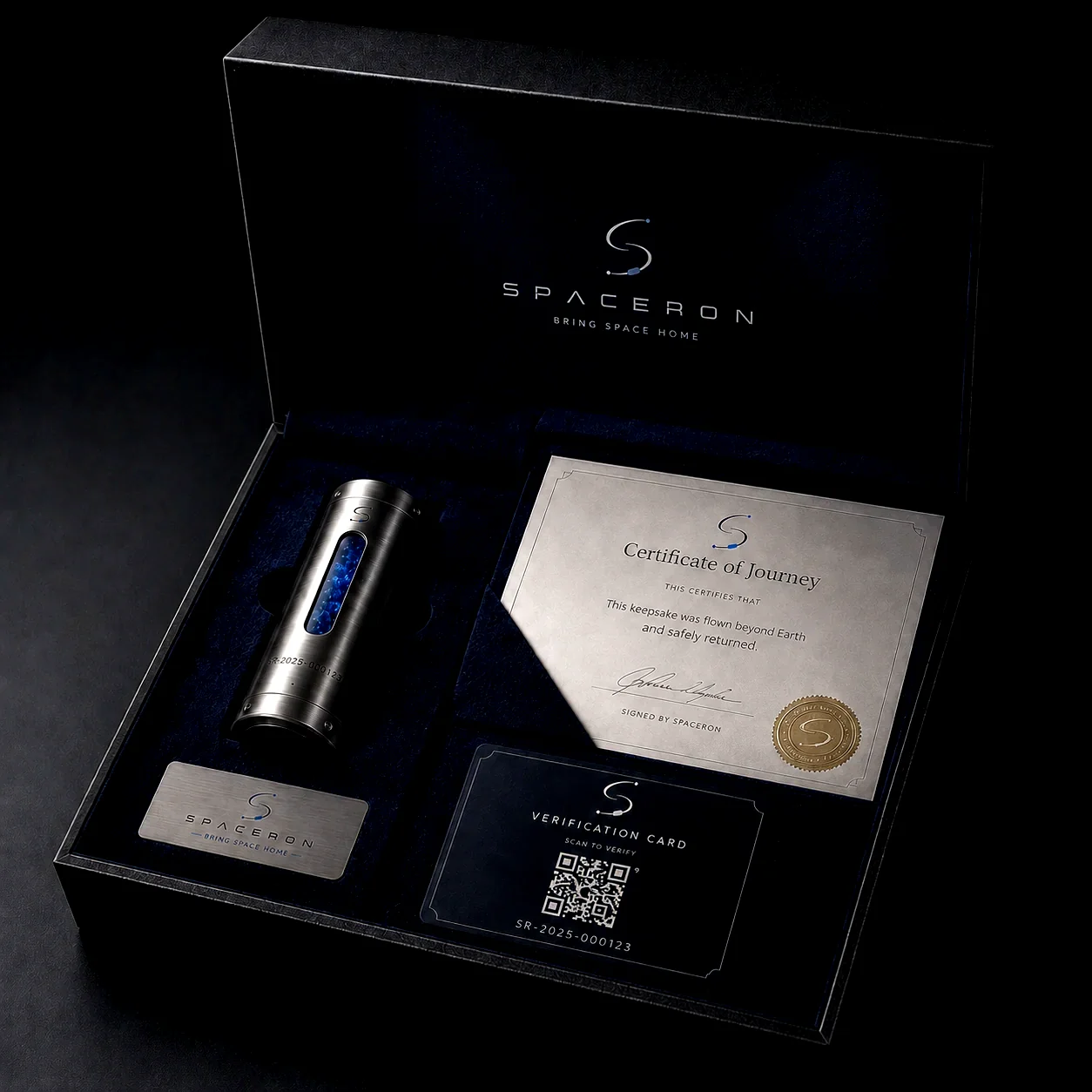
Open Spaceron presentation kit with capsule and journey documents
Presentation example Final contents depend on the selected package and completed journey records.

The complete journey

Eight stages, with a clear decision at each step

Nothing is presented as confirmed before the relevant review, provider capacity, recovery record, or document check is complete.

  1. 01

    Describe your item

    Start a request with accurate item details, dimensions, weight, and photos when requested.

    Your status: Request started
  2. 02

    Eligibility review

    The submission is checked for size, material, handling requirements, and current mission restrictions.

    Your status: Under review or action required
  3. 03

    Confirm the plan

    If the item is eligible, review the package, price, disclosures, shipping instructions, and available options.

    Your status: Ready for confirmation
  4. 04

    Item intake and preparation

    After intake checks, an accepted item is prepared in the approved capsule configuration for the planned profile.

    Your status: Received or preparation in progress
  5. 05

    Mission assignment

    A mission is assigned only after eligibility, configuration, and provider capacity are committed.

    Your status: Pending assignment or assigned
  6. 06

    Recorded milestones

    Your account shows committed operational updates as reliable records become available.

    Your status: Milestone updates available
  7. 07

    Recovery and record review

    Recovery status and supporting records are reviewed before eligible journey documents are released.

    Your status: Recovery or document review
  8. 08

    Return presentation

    After release for delivery, your item and the applicable presentation materials are prepared for return.

    Your status: Return preparation or shipped

Know what happens next

What you provide—and what Spaceron confirms

You provide

Accurate information and informed choices

  • Item details, ownership or authorization, and requested photos
  • Current contact and delivery information
  • Acceptance of the applicable terms, risks, and policies
  • Following the item-handling and shipping instructions provided
Spaceron confirms

Eligibility, committed milestones, and applicable records

  • Whether the item can proceed under current restrictions
  • The selected package and disclosed price before checkout
  • Mission assignment only after capacity is committed
  • Recovery, document, and return states as they are confirmed

Item eligibility

Every item is reviewed before it proceeds

Small, solid keepsakes are common candidates, but material, dimensions, condition, ownership, and mission-specific restrictions still matter. Review the current rules before submitting.

Read the item guidelines

Timing

The journey is milestone-based, not a guaranteed countdown

Review, preparation, provider capacity, launch schedules, recovery, documentation, and return logistics can each change the overall timing. Your account should be treated as the current source for confirmed status.

Read timing answers
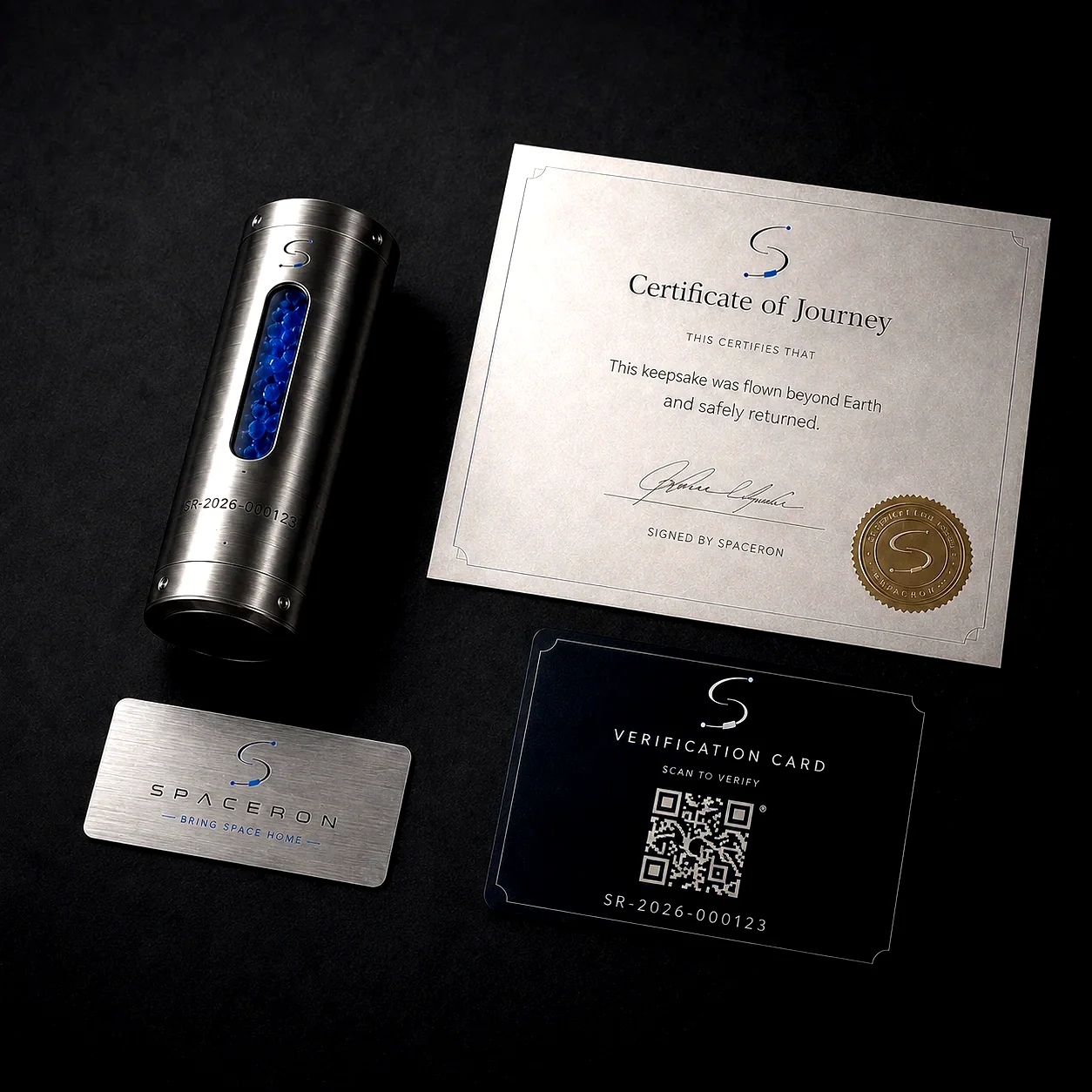
Spaceron capsule and example presentation materials arranged together

The return presentation

What comes back depends on the completed journey and selected package

Applicable contents are shown in your package and account records. A completed return may include:

  • Your accepted item in its flight capsule or approved container
  • An eligible Certificate of Journey
  • A verification card or lookup reference, when issued
  • The presentation components included with the selected package
Explore the Journey Kit

Ready for the first step?

Start with the item, not the checkout.

Describe what you would like to send. The request can then move through eligibility review before you commit to the rest of the journey.